This is an advanced feature for people comfortable with the command line / AI coding tools. If you only make resumes in the browser, you don’t need this page.
1
Create a Personal Access Token (PAT)
In the web app, Settings → Personal Access Tokens → Create, and copy the
mr_pat_… value (shown once). See Settings.2
Configure the MCP server
~/.magic-resume/mcp.json. If you run the backend locally, point --api-url at http://localhost:3110/api (the Core gateway).3
Register with your AI tool
- Claude Code
- Cursor
- Manual / Windsurf
4
Try it
In your AI tool, ask: “List my Magic Resume resumes.” The model should call the tool and return your list. If it errors, run
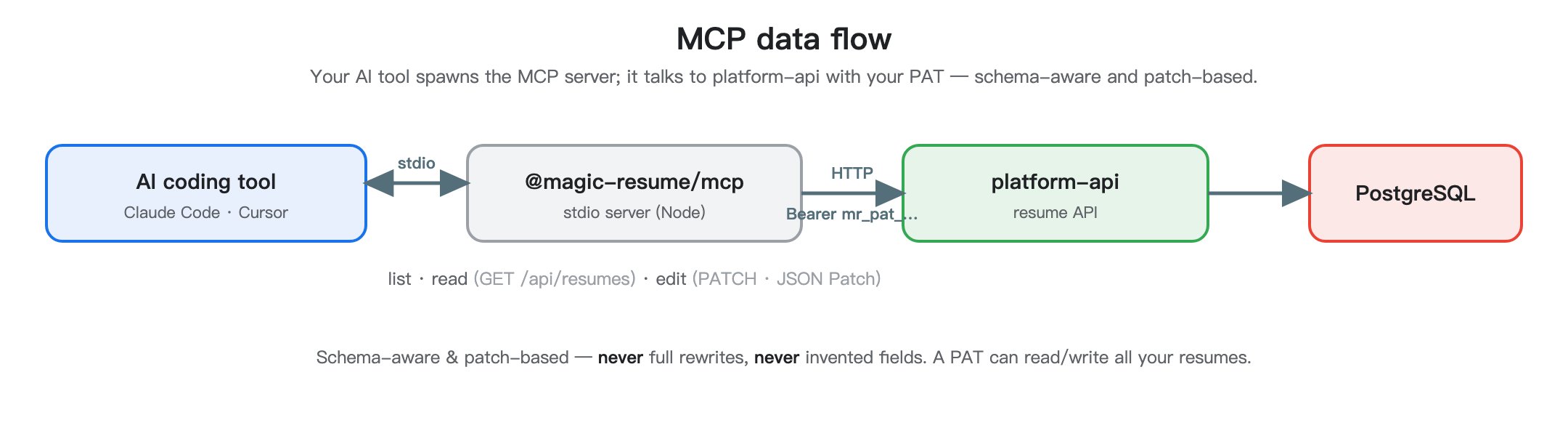
npx -y @magic-resume/mcp config print and check the API URL and PAT.Curious how MCP works internally and which tools exist? That’s developer material — see the MCP section of the Developer Handbook.