
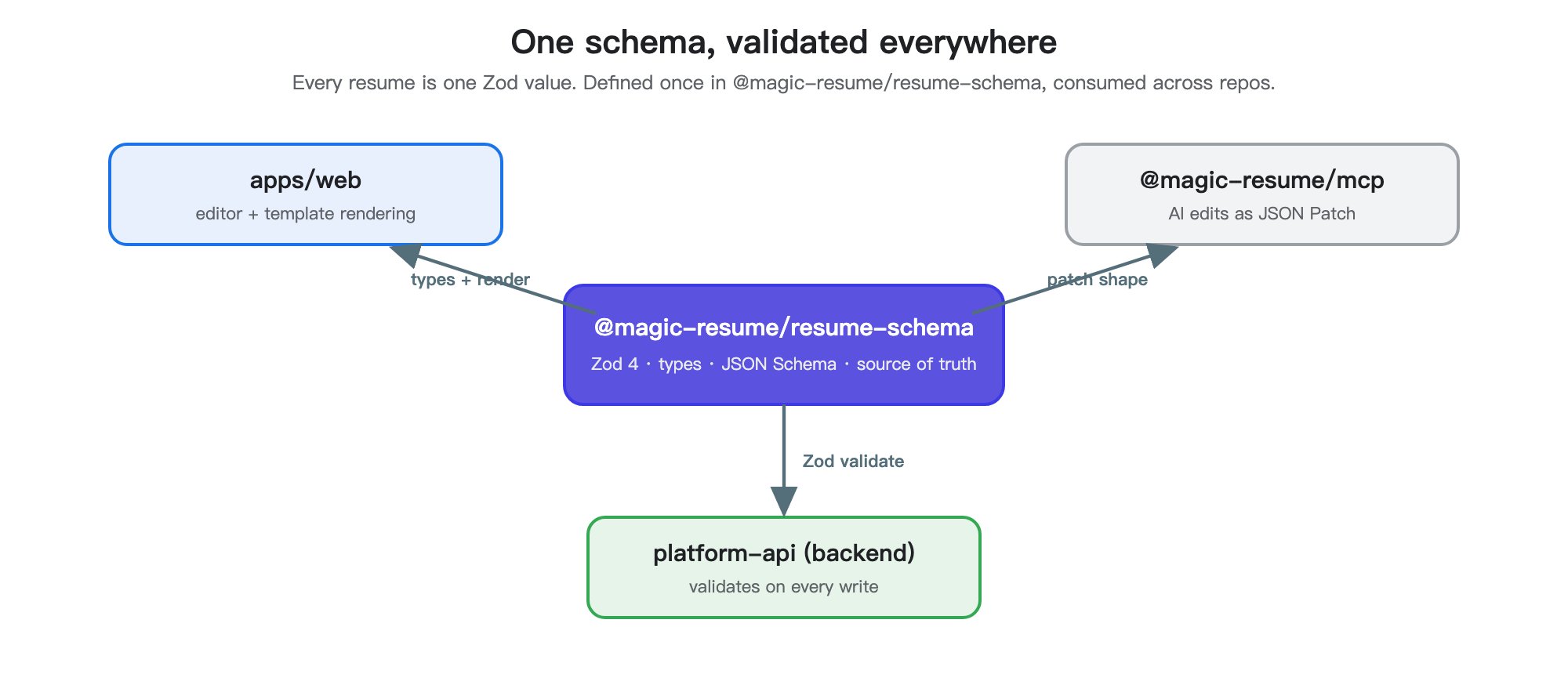
@magic-resume/resume-schema is the single source of truth for the resume data shape. The web app, the MCP server, every template, and every AI tool all conform to it. If a field isn’t in the schema, it doesn’t exist.
Exports
basicsSchema, experienceSchema, etc.) are also exported individually so callers can validate one section in isolation.
Build output
The build step does two things:tscproducesdist/with type declarations.scripts/write-schema.mjsemitsdist/schema.json— a static JSON Schema artifact.
dist/schema.json is what the MCP server serves as a resource, so AI tools can introspect the resume shape without a runtime call.
Patch flow
Mutations are JSON Patch (RFC 6902) operations. The roundtrip:The MCP server has
preview_resume_patch for exactly this validation loop without mutating state. Use it from AI tools before applying anything destructive.Adding a new field
- Add it to the right sub-schema in
packages/resume-schema/src/. - Update
defaultResumeandsampleResumeif it’s required. - Rebuild:
pnpm --filter @magic-resume/resume-schema build. - Update consuming templates in
packages/resume-templatesand the editor form inapps/web/src/components/editor/. - If the field affects AI editing, add guidance to
get_resume_editing_guideinpackages/mcp/src/resume-tools.ts.
Adding a new template ID
Template IDs are part of the schema (templateSchema is a Zod enum over templateIds). When you add a new one, three things must stay in lockstep:
templateIdsinpackages/resume-schematemplateRegistryinpackages/resume-templates/src/registry.ts- A thumbnail at
apps/web/public/templates/jpg/{id}.jpg